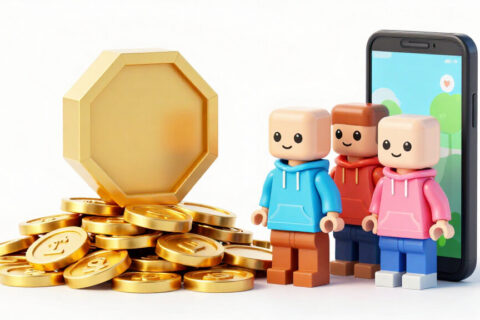
Free Robux promises are the most common bait used to steal Roblox accounts, and you can spot almost all of them in seconds.
Why these scams work so well
Roblox's audience is young, always wants new items, and spends hours watching short videos about the game. Scammers know this. They build a nice-looking website, add a counter showing 'Robux sent', use names of popular YouTubers, and promise thousands of Robux in exchange for a login or quick sign-up.
The truth is simple: there is no tool, website, app, extension, or code that can create Robux. Robux only enters your account through purchase, Premium subscription, gift cards, or selling your creations on the platform. Any other promise is a scam.
Cai Viral is an independent website with no connection to Roblox Corporation. This guide brings together what we've actually seen happen to real players.
The most common scam formats
- Website asking for username and password: claims it needs your login 'to deposit'. The moment you type it in, your account is gone.
- Never-ending human verification: asks you to download apps, fill out surveys and forms. You hand over personal data and never get anything in return.
- Code to paste in your browser: asks you to open the console and paste text. That text steals your login cookie, which gives full access to your account without needing your password.
- Extensions and programs: promise to 'show hidden Robux' or 'duplicate items'. In reality, they capture everything you type.
- Fake support: message on Discord or in the game itself saying your account will be banned if you don't confirm details on a link.
- Trade scam: someone promises to give you double if you send an item first. They don't.
- Fake games: experiences inside Roblox with eye-catching names that ask you to leave the game and enter a website.
Warning signs in any message
If any item from this list appears, stop and close the page:
- Request for your password, verification code, or PIN, for any reason.
- Tight deadline: 'today only', 'only 3 spots left', 'your account will be deleted in 10 minutes'.
- Address different from roblox.com, even if similar, with a changed letter or strange domain.
- Promise of an absurd amount of Robux.
- Request to turn off antivirus or install something outside the official store.
- Someone you don't know offering you a gift for no reason.
Protect your account: two-factor verification
Two-factor verification is the most important protection on Roblox. With it enabled, even if someone finds out your password, they still need an extra code to log in. Roblox offers options like code by email, authenticator app, and physical security key. The authenticator app is usually the strongest option for mobile users.
To enable it, open your account settings, go to the security tab, and choose your method. Keep your recovery codes somewhere safe, away from your phone, so you don't lose access if you change devices.
Verified email and phone number
An account with a verified email is much easier to recover. If someone changes your password, Roblox will notify you at your registered email and you can act fast. Also confirm that your email itself is protected with a strong password and two-factor verification. There's no point securing Roblox if the email that recovers your account is weak.
Registering a phone number helps in some recovery processes. Use a number you control and won't change anytime soon.
Account PIN and other adjustments
The account PIN is a numeric code that locks important settings changes. With it active, no one can change your email, password, or security settings without typing the PIN, even if they're logged in on your device. It's especially useful on a shared computer or a phone that siblings use.
- Use a unique password on Roblox that doesn't repeat on any other website.
- Log out of your account on devices that aren't yours.
- Review active sessions from time to time and end any you don't recognize.
- Don't install browser extensions related to Roblox that aren't well-known.
I fell for the scam. Now what?
Speed counts. If you can still log in:
- Change your password right away to a new, unique one.
- Use the option to log out of all other sessions.
- Enable or redo two-factor verification.
- Also change the password for the email linked to your account.
- Run a trusted antivirus if you downloaded anything.
If you've lost access, use the official account recovery through the email or phone number you registered and open a support ticket with Roblox explaining what happened. Be honest: say you clicked a link or shared your password. This helps with support. Also report the profile or experience that scammed you using Roblox's own reporting tool.
After recovering your account, review your inventory and transaction history. Items traded or sold by the hacker can be reviewed by support, but there's no guarantee they'll be returned. This is why prevention matters so much: it's far easier to keep your account secure than to recover what was lost.
How to explain this to kids
For parents or older siblings, the conversation needs to be direct: nobody gives Robux for free, passwords aren't shared even with friends, and any strange request should be shown to an adult. Agreeing that the child can tell you without getting in trouble makes all the difference. A scam that's reported right away is a scam you can reverse.
Frequently asked questions
Is there a trustworthy website that gives Robux for free?
No. Robux only enters your account through purchase, Premium, gift cards, or selling your creations inside Roblox.
Can a Roblox employee ask for my password?
No. No employee asks for passwords, verification codes, or PINs through messages.
I received an item as a gift from a stranger. Is it a scam?
It could be the start of a conversation to gain your trust. Don't click links or share data, even if the person seems nice.
Does antivirus solve it?
It helps against malicious programs, but it won't stop you from typing your password into a fake website. Attention and two-step verification remain essential.
Can I recover an account without a registered email?
It's harder. Support may ask for information like creation date, purchases made, and devices used. That's why you should register and verify your email while the account is still in your hands.