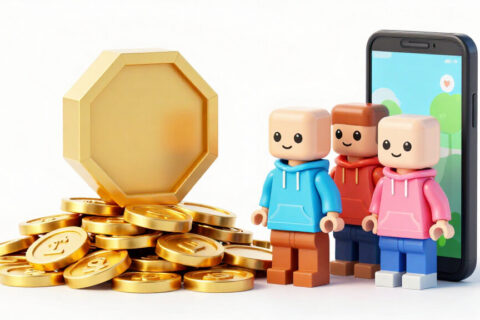
Before signing up, it's worth understanding what each Roblox Premium plan offers and which player type benefits most.
What is Roblox Premium
Premium is Roblox's official monthly subscription. While active, you receive a monthly amount of Robux and gain access to features that regular accounts don't have. Billing is recurring: it renews automatically until you cancel, either through your mobile store or billing settings on roblox.com.
Plans are known by their monthly Robux amount: Premium 450, Premium 1000, and Premium 2200. The higher the plan, the higher the monthly fee and the larger the monthly package. Exact pricing varies by country and can differ between app and website, so the price that matters is what appears on your account's subscription screen.
Reminder: Cai Viral is independent and has no connection to Roblox Corporation. The analysis below is from someone who plays and follows the platform.
What the subscription delivers
Benefits can change over time, so always check the official Premium page before signing up. Generally, the subscription usually offers:
- Monthly Robux: your plan's package is added to your account with each billing cycle.
- Bonus on Robux purchases: subscribers historically receive a bit more Robux when buying standalone packages.
- Trading and reselling items: limited item trading features and selling certain items are restricted to subscribers.
- Experience perks: some games give extra items, areas, or bonuses to Premium players.
- Creator benefits: developers can have advantages related to item sales and payments from subscriber engagement.
Premium 450: the entry plan
It's the cheapest plan and most recommended for first-time subscribers. It makes sense for players who buy a game pass here, an outfit there, and want a predictable amount every month instead of spending on individual packages.
If you already buy the smallest Robux package once a month, do the math: compare the subscription price with what you pay today and see how many Robux each delivers. In most countries, Premium 450 is competitive against the equivalent standalone package, plus it brings the extra features.
Another advantage of the entry plan is its effect on spending habits. With a fixed amount arriving every month, it's easier to say no to flash offers and wait for the next credit. For many players, that alone makes the subscription worth it.
Premium 1000: for regular spenders
The mid-tier plan is for those who already spend frequently. Think of someone who buys passes in multiple games, follows item releases in the catalog, or plays experiences with seasonal updates.
The advantage here is consistency. You know exactly how much you'll get and can plan: save Robux for two months for an expensive item, for example. The risk is subscribing to a higher plan than your actual use and accumulating Robux with no purpose, which becomes dead money.
Premium 2200: for collectors and creators
The highest plan serves two profiles. The first is the collector who tracks limited items, trades, and needs high balances frequently. The second is the creator who buys resources for their own game, tests products, and uses their account as a work tool.
For casual players, this plan rarely makes sense. If you can't say what you'll spend 2,200 Robux on every month, you're probably in the wrong plan.
Who should subscribe and who should wait
Use this quick list as a filter:
- Subscribe if you already buy Robux almost every month and want predictability.
- Subscribe if you trade items or want to sell creations that require Premium.
- Wait if you only buy Robux on special dates, like birthdays or year-end.
- Wait if the account belongs to a child and parents haven't set spending limits yet.
- Avoid subscribing just for a perk from a specific game you might abandon in weeks.
One detail that matters: the subscription renews automatically. Many people forget, stop playing, and keep paying. If you know that's your style, set a phone reminder to review your subscription every few months.
How to subscribe, change plans, and cancel
To subscribe, go to the Premium page in the app or at roblox.com and choose your plan. On mobile, payment goes through Google Play or App Store; on the website, through payment methods accepted in your country, including gift card balance.
To cancel, the process depends on where you subscribed:
- Subscribed on Android: Google Play, profile menu, Payments and subscriptions, Subscriptions.
- Subscribed on iPhone: Settings, tap your name, Subscriptions.
- Subscribed on website: Roblox account settings, billing tab.
Canceling doesn't erase what you've already received. Monthly Robux already credited stay in your account, and benefits continue until the end of your paid period. Changing plans usually works the same way as your original subscription.
Premium or gift card?
The two aren't mutually exclusive. Many families prefer the gift card because the amount is fixed and there's no recurring charge on the credit card. Balance from a gift card with credit can even be used to pay for Premium subscription on the website. If you want the best of both worlds, buy a card, redeem it, and use the balance to subscribe without registering any card.
Frequently asked questions
Do Premium Robux all come at once?
Yes, the plan package is credited at each billing cycle, recurring while the subscription is active.
Do I lose the Robux if I cancel Premium?
No. What has already been credited stays in your balance. You just stop receiving the next packages and lose exclusive features after the paid period ends.
Does Premium give free Robux?
No. Premium Robux are part of what you pay in the monthly fee. There's no official way to receive Robux without paying or without selling creations.
Is it worth subscribing through the app or the website?
Compare both. App stores charge fees, and sometimes the price or package changes between app and website. Choose whichever works out better for you.
Can a child subscribe?
Yes, but it's best if parents handle the subscription and set up parental controls first, defining spending limits and notifications.